

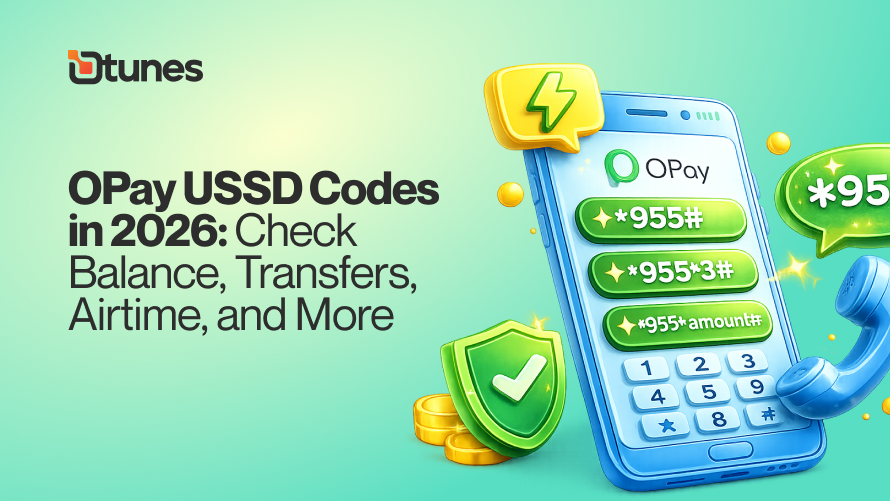
OPay USSD Codes in 2026: Check Balance, Transfers, Airtime, and More

The Opay USSD code is *955#. Dial *955# from the phone number linked to your Opay account, enter your 4-digit PIN, and select the service you want from the menu. The code works on every Nigerian network and requires no internet.
TL;DR
The USSD code for OPay is *955#. The code is a one-stop code that allows users to perform essential financial tasks without internet access.
Quickly send money using *955*1*AmountPhoneNumber#.
Top-up airtime for yourself or others with *955*3*Amount#.
Pay bills instantly with *955*6#.
Dtunes app makes OPay even easier, offering quick bill payments and earning rewards in the process.
In 2026, Opay has become a widely familiar word to every household. The familiarity is not limited to households alone, but to every setting of the society, even to the market women out there. This is the extent to which Opay has become widely accepted in Nigeria.
In this article, we will see OPay USSD codes in 2026, what they are used for, and every necessary thing you need to know about activating the codes.
One of its key features is enabling customers to perform transactions easily without internet access, using a range of USSD codes. This means you don’t have to go about saying ‘bro, abeg on hotspot for me, I just wan do data.’
Have quick glance of all the Opay USSD Codes:
OPay USSD Codes
| Service | USSD Code | Example Usage |
|---|---|---|
| Access Main Menu | *955# | Dial *955# to access the full OPay menu for various services. |
| Check Wallet Balance | *955*0# | Dial *955*0# to check your account balance instantly. |
| Send Money to Another OPay User | *955*1*AmountPhoneNumber# | Example: *955*1*080008012345678# to send ₦5,000 to an OPay user. |
| Transfer to Bank Account | *955*2*AmountAccountNumber# | Example: *955*2*100000123456789# to transfer ₦10,000 to a bank account. |
| Buy Airtime for Yourself | *955*3*Amount# | Example: *955*3*500# to buy ₦500 airtime for yourself. |
| Buy Airtime for Others | *955*3*AmountPhoneNumber# | Example: *955*3*08008087654321# to buy airtime for someone else. |
| Purchase Data | *955*4*PhoneNumber# | Example: *955*4*08012345678# to buy data for yourself or someone else. |
| Pay Utility Bills | *955*6# | Dial *955*6# to pay your electricity, water, or other utility bills. |
| Block Your OPay Account | *955*131# | Dial *955*131# to block your OPay account if your phone is lost or stolen. |
| Block Your OPay Card | *955*132# | Dial *955*132# to block your OPay card if it is lost or stolen. |
What Is OPay?
If you’ve spent any time in Nigeria, there are chances you’ve heard about OPay. But someone new to Nigeria has a high chance of not knowing anything about Opay. This is why we’ll begin with the fundamentals of what opay is about.
OPay is a financial digital platform that allows managing all money-related issues. It integrates various financial solutions into one, easy to use application, based on payments, transfers, and savings and loans. In addition to serving individual users, it also operates POS services on behalf of agents and offers acquiring solutions to merchants, and is a major contributor to the expanding digital economy of Nigeria.
Introduced in 2018, OPay has managed to expand quickly, and its effects can be testified by many Nigerians. Among the key factors that contributed to its popularity is its accessibility and speed, transactions are fast and the platform is user-friendly, even to the first-time user. It is so widespread that one can hardly imagine living without an OPay account.
Today, the platform boasts tens of millions of users, agents, and merchants across Nigeria, reflecting its strong presence and continued growth. Whether you’re new to the country or simply exploring better ways to manage your finances, OPay stands out as a reliable and convenient option.
What is the OPay USSD code?
The USSD code for OPay is *955#, and it gives users quick access to a wide range of transactions directly from their mobile phones. This feature was introduced to make OPay’s services more convenient, especially for people in areas with little or no internet connectivity. By enabling offline transactions, it has further strengthened OPay’s reputation as one of Nigeria’s leading digital payment platforms.
In order to access this service, users have to create an OPay account and connect it to their phone number. The phone number which is registered as the account number then can be used to transact smoothly and securely using the USSD code.
5 Reasons You Should Consider Opay Before Others
When it comes to choosing a reliable financial service platform in Nigeria, there are quite a number of options available. However, OPay continues to stand out for several compelling reasons. Whether you’re new to digital banking or looking to switch platforms, here are five solid reasons why OPay deserves your attention.
1. Ease of Use and Accessibility
One of the biggest advantages of OPay is how simple it is to use. The app is user-friendly, making it easy for both tech-savvy individuals and beginners to navigate. Even better, its USSD feature (*955#) ensures that you can carry out transactions without internet access—perfect for users in areas with limited connectivity.
2. Fast and Reliable Transactions
Speed matters when it comes to financial transactions, and OPay delivers on that front. Transfers, bill payments, and airtime purchases are processed almost instantly, helping you save time and avoid unnecessary delays.
3. All-in-One Financial Services
Instead of juggling multiple apps, OPay brings everything together in one place. From sending and receiving money to paying bills, buying airtime, saving funds, and even accessing loans, it serves as a complete financial solution.
4. Wide Network of Agents and Merchants
Another strong advantage of OPay is its extensive network of agents and merchants across Nigeria. This means you can easily find nearby POS agents for cash withdrawals, deposits, or assistance, making it highly convenient for everyday use.
5. Rewards, Bonuses, and Cost Savings
Who doesn’t love a good reward? OPay frequently offers cashback deals, discounts, and bonuses on transactions like bill payments and airtime purchases. These little savings can add up over time, giving you more value compared to many traditional banking options.
Choosing the right financial platform can make a big difference in how you manage your money. With its ease of use, speed, wide accessibility, and added benefits, OPay proves to be the top choice for millions of Nigerians today. Whether you’re looking for convenience, reliability, or extra value, OPay ticks all the right boxes.
OPay USSD Codes: Here is a Complete Guide
The USSD service for OPay is *955#, a simple and free-to-use code that allows users to carry out everyday banking transactions without needing internet access. With this code, you can conveniently create accounts, transfer money, buy airtime or data, withdraw funds, and much more, all directly from your mobile phone.
To use the USSD feature, you must already have an active OPay account. It’s also important to dial the code using the phone number linked to your account, as this number serves as your identity on the platform.
How to Activate the OPay USSD Code
Getting started with the USSD service is quick and straightforward:
1. Register with OPay
First, create an account with OPay. You can do this through the mobile app or by visiting a nearby OPay agent, whichever is more convenient for you.
2. Link Your Phone Number
Ensure that your active phone number is properly linked to your account, as this is essential for using the USSD service.
3. Dial *955# to Register Your Device
Simply dial *955# on your phone and follow the on-screen prompts to activate USSD banking on your device.
4. Set Up Your PIN
For security, you’ll need to create a 4-digit PIN. This PIN will be required to authorize all your transactions.
Updated List Of Opay USSD Codes
Below are summarized list of the most commonly used USSD commands for Opay:
- Check Balance: *955*0#
- Get OTP (One-Time Password): *955*010#
- Transfer to OPay Account: *955*1*Amount*Account Number#
- Transfer to Other Bank Accounts: *955*2*Amount*Account Number#
- Buy Airtime (Self): *955*3*Amount#
- Buy Airtime (Others): *955*3*Amount*Phone Number#
- Buy Data: *955*4*Phone Number#
- Pay Electricity Bills: *955*6#
- Betting Payments: *955*5#
- Activate OPay Card: *955*03121#
You want to pay bills and earn rewards instead of using your bank app?
Use the Dtunes app for bill payments and earn lots of rewards. Download Dtunes app now.
OPay USSD Code for Funds Transfer
With OPay, sending money is quick and convenient. Even without internet access, you can transfer funds not only to another OPay user but also to any bank account across Nigeria, using the *955# USSD code on your mobile phone.
Here’s a simple step-by-step guide to help you complete a transfer:
How to Transfer Funds Using OPay USSD
- Dial *955# on your phone
Use the phone number linked to your OPay account. - Select “Transfer”
From the menu options displayed on your screen, choose the transfer option. - Choose the Type of Transfer
You’ll be prompted to select the kind of transfer you want to make:- Option 1: Transfer to another OPay user
- Option 2: Transfer to a different bank account in Nigeria
- Enter Recipient Details
- For OPay transfers: Input the recipient’s phone number
- For bank transfers: Select the recipient’s bank and enter their account number
- Input the Amount
Enter how much you want to send. - Authorize with Your PIN
Finally, input your 4-digit PIN to confirm and complete the transaction.
Using OPay USSD for transfers ensures you can send money anytime, anywhere. No data or smartphone required. It’s a reliable option for fast and secure transactions.
How To Create an OPay Account Using USSD
Getting started with OPay is simple—even without internet access. You can easily create an account using the USSD code by following these steps:
- Dial *955# to open the menu.
- Select the option to create an account.
- Enter your first and last name.
- Set your preferred 4-digit PIN.
- Confirm your PIN by entering it again.
- Verify your account using the OTP sent to your phone.
Once completed, your OPay account will be ready for use.
How To Fund Your OPay Account Using USSD
Adding money to your OPay account via USSD is just as easy:
- Dial *955# to access the menu.
- Select the “Add Money” option.
- Follow the on-screen instructions to complete the transaction.
After successful processing, your account will be credited instantly.
OPay USSD Code for Balance Check
Want to know how much you have left in your account? Here’s how to check your balance:
- Dial *955# on your phone.
- Select the “Check Balance” option (usually option 4).
- Enter your PIN to proceed.
You’ll receive an SMS with your current account balance, giving you quick insight into your finances.
OPay USSD Codes for Data Purchase
With OPay, buying mobile data is quick and convenient, even without internet access. Whether you’re purchasing for yourself or someone else, the USSD feature makes it seamless.
Here’s how to buy data using USSD:
- Dial *955# on your phone.
- Select “Airtime/Data” from the menu.
- Choose “Buy for self” or “Buy for others.”
- If buying for someone else, enter the recipient’s phone number.
- Select your preferred data bundle from the available options.
- Enter your PIN to complete the transaction.
For a faster option, you can simply dial:
*955*4*Phone Number# to purchase data instantly without going through the full menu.
OPay USSD Codes for Airtime Purchase
Need to top up your airtime or send credit to someone? OPay makes it just as easy:
- Dial *955# on your phone.
- Select the “Airtime” option from the menu.
- Choose “Buy for self” or “Buy for others.”
- If buying for someone else, enter the recipient’s phone number.
- Enter the amount of airtime you wish to purchase.
- Confirm the transaction with your PIN.
Using OPay USSD services for airtime and data purchases ensures you stay connected at all times, fast, simple, and without needing mobile data.
Transferring Money From Opay
OPay is easy and adaptable to transfer money. You can easily send money to another OPay user or any bank account in Nigeria either via the mobile application or USSD.
Method 1: With the help of OPay App
With internet connection available, the app is easy and pleasant to use. Kindly follow the procedures below to guide you in transferring money from your Opay bank app:
- Open the OPay app
- Tap “Transfer”
- Select your destination, i.e., to OPay Account or to Bank Account.
- Fill in recipient details and amount.
- Check the transaction by PIN-number.
It is usually instant, and thus, a good choice when it comes to quick payments.
Method 2: Using USSD (*955#)
OPay USSD is equally easy in the case of people who do not have access to the internet:
- Dial *955#
- Choose option 1 (Transfer Money).
- Select your destination of sending money (OPay or other banks)
- Insert the account number and amount.
- Enter your PIN to make the transaction.
This is particularly applicable in the poorly connected regions.
How to Pay with OPay USSD Code
In addition to transfers, you can also use OPay to pay directly with USSD, which is ideal when you need to make daily payments and are without mobile data.
It is done this way:
- Dial *955#
- Choose the 4th option (Pay with USSD)
- Input the number of the OPay account or the phone number of the merchant.
- Enter the value you wish to pay.
- Check the information and insert your PIN.
When this is done, you will get an immediate SMS confirmation. It is quick, safe, and most importantly very convenient, whether you are using the POS, filling up the tank, or even shopping in the market, having an opay app or the USSD codes ensures that you can take care of your money any time, anywhere.
Frequently Asked Questions About OPay USSD
What is the USSD code for OPay?
The USSD code for OPay is *955#. It allows users to perform various banking transactions such as transfers, airtime purchases, and bill payments without internet access.
Do I need internet access to use OPay USSD?
No, you don’t need an internet connection. The USSD service provided by OPay works on any mobile phone, making it ideal for areas with limited or no internet.
Is the OPay USSD code free to use?
Yes, dialing *955# is free. However, your mobile network may charge a small fee for USSD sessions, depending on your service provider.
Can I use any phone number to access OPay USSD?
No, you must use the phone number linked to your OPay account. This number acts as your account identity for seamless transactions.
What transactions can I perform using OPay USSD?
With *955#, you can check your balance, transfer money, buy airtime and data, pay bills, and even activate your OPay card, all through OPay.
Is it safe to use OPay USSD for transactions?
Yes, it is secure. OPay requires users to set up a 4-digit PIN, which must be entered to authorize every transaction, helping to protect your account from unauthorized access.
How do I check my balance on OPay?
To check your balance on OPay, dial *955# on your mobile device. Follow the on-screen prompts, and your balance will be displayed.
What is the OPay 6-digit PIN?
The OPay 6-digit PIN is a security code you set when registering for your OPay account. It is used to authorize transactions and protect your account from unauthorized access. Make sure to keep it safe and confidential.
Conclusion
In 2025, OPay USSD codes continue to transform how Nigerians carry out everyday financial transactions. With just *955#, users can perform a wide range of activities quickly and conveniently, without relying on internet access.
The simplicity and efficiency of this service make it easy for anyone to manage their finances on the go. From transferring money and paying bills to checking account balances, OPay provides a secure, reliable, and user-friendly solution that fits seamlessly into daily life.On a final note, if you’re looking to get even more value from your everyday transactions, you might want to explore Dtunes and download our app here.
The app allows users to pay bills such as airtime, data, and utilities while earning rewards and bonuses in return. It’s a great complement to platforms like OPay, especially for users who want to maximize savings and enjoy extra benefits from their spending.
Related Stories
Moniepoint USSD Codes Updated (2025): Check Balance, Transfers, Airtime, and More
How To Transfer Money From UBA To All Banks
How to Check MTN Airtime Balance

Godwin has spent the last 5 years making SEO magic happen and now leads as SEO Manager at Dtunes. When he’s not tweaking search rankings, you’ll catch him vibing to music, playing games, or hanging out with friends.