

Moniepoint USSD Codes Guide(2026): Check Balance, Transfers, Airtime, and More

The Moniepoint USSD code is *5573#.
With it, you can check your balance, transfer money, buy airtime and data, and handle other basic banking transactions without using mobile data.
Moniepoint has grown into a trusted name across Nigeria, especially in places where traditional banking feels out of reach. From roadside kiosks to supermarkets and eateries, their blue POS terminals are everywhere.
But it’s not just the machines; it’s the sound. That sharp “Kpa” the terminal makes when money drops. It’s the confirmation customers and sellers trust. A simple sound that brings peace of mind and keeps people coming back.
This article covers everything you need to know about Moniepoint’s updated USSD codes in 2025.
While Moniepoint offers secured USSD banking for everyday transactions, for a seamless crypto-to-Naira experience, check out dtunes to convert your crypto easily and securely.
TD:LR
- Transfer to Another Moniepoint User – *3891*Amount*PhoneNumber#
- Transfer to Bank Account – *3892*Amount*AccountNumber#
- Main Menu Access – *389#
- Balance Inquiry – *3890#
- Buy Airtime for Yourself – *3893*Amount#
- Buy Airtime for Others – *3894*Amount*PhoneNumber#
- Utility Bill Payments – *3896#
- Block Moniepoint Account – *3897#
- Download the dtunes app to manage your crypto finances in real-time.
- Need help with crypto-to-Naira conversions? check out dtunes’ support for a seamless experience.
Common Moniepoint USSD Codes
| Purpose | USSD Format / Menu Option | Notes / Example |
|---|---|---|
| Transfer to another Moniepoint user | *3891*Amount*PhoneNumber# | E.g. *38915000*08012345678# to send ₦5,000 to that Moniepoint user |
| Transfer to another bank account | *3892*Amount*AccountNumber# | E.g. *389210000*0123456789# to send ₦10,000 to a bank account |
| Check Balance | *3890# | After dialing, you’ll be prompted to enter your PIN |
| Buy Airtime (Self) | *3893*Amount# | E.g. *3893500# to recharge ₦500 on your line |
| Buy Airtime (Others) | *3894*Amount*PhoneNumber# | E.g. *3894500*08012345678# |
| Pay Utility Bills | *3896# | Navigate the menu to select electricity, TV subscription, etc. |
| Block Account | *3897# | Use this immediately if your phone is lost or stolen |
| Access Main Menu | *389# | Opens the full USSD menu for all Moniepoint services |
What is the Moniepoint USSD Code?
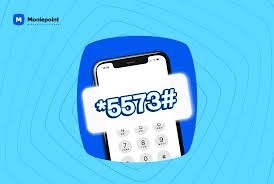
The Moniepoint USSD code is *5573#. It gives users a direct, reliable way to carry out essential banking services without needing the internet.
This code was introduced to make banking even more accessible, especially in areas where mobile data is a challenge. It fits seamlessly into its mission of bringing fast, reliable financial services closer to the people who need them most.
Before you can use the code, you’ll need to activate the feature through your
Personal or business app. Once your phone is linked and the feature is switched on, you’re set.
What is Moniepoint?
Moniepoint didn’t just show up one day and become a household name. It’s been in the game since 2015 born from a Nigerian company called TeamApt, built to solve real money problems.
At first, it powered banking agents, those everyday folks you see with a small table, a blue terminal, and a long queue in front of them. But they didn’t stop there. It kept growing, reaching into every corner where bank branches were too far, too slow, or too complicated.
Today, Moniepoint does more than just transfers and withdrawals. For small business owners, it’s a lifeline. For that woman running a shop at the junction, or the guy with a barbing salon on your street, it’s their bank. Their safety net and easiest way to keep things moving.
It’s that kind of fintech bank that was built for people like us.
Moniepoint USSD Code
Moniepoint’s USSD is built for simplicity. With just *5573#, you can buy airtime, data, transfer money, and check balances.
To access these services, your phone number must already be linked to an existing Moniepoint account.
Here’s how to activate your Moniepoint USSD Code:
1. Log into your account
Open the Moniepoint Personal or Business Banking app and sign in to your dashboard.
2. Go to Settings
Tap your profile picture at the top left corner. From there, select the Settings menu.
3. Turn on the USSD feature
Scroll to find the USSD feature toggle. Switch it on to activate, and that is it.
Updated list of Moniepoint USSD Codes for 2026
Below is a categorized list of Moniepoint USSD codes and what each one is used for:
- Main Menu Access – *389#
This is the primary code used to access all Moniepoint USSD services. It opens a menu with multiple transaction options. - Balance Inquiry – *3890#
Use this code to quickly check your account balance. You’ll need to enter your PIN to view your balance securely. - Transfer to Another Moniepoint User – *3891*Amount*PhoneNumber#
This allows you to send money to another Moniepoint account using their registered phone number. - Transfer to Bank Account – *3892*Amount*AccountNumber#
With this code, you can transfer funds to any Nigerian bank account. You may be prompted to select the bank and confirm details. - Buy Airtime for Yourself – *3893*Amount#
Easily recharge your own phone line directly from your Moniepoint account. - Buy Airtime for Others – *3894*Amount*PhoneNumber#
Send airtime to friends and family using their phone number. - Utility Bill Payments – *3896#
Pay for services such as electricity, TV subscriptions, and more. - Block Moniepoint Account – *3897#
This code is useful in case your phone is lost or stolen. It helps you quickly secure your account.
These USSD codes make banking simple, fast, and accessible without needing internet access. Looking to convert your crypto to Naira? Try out dtunes for secure and easy crypto-to-Naira transactions.
How to Withdraw Funds with Moniepoint USSD code
- Dial *5573# using the phone number linked to your account.
- From the menu, select the “Withdraw” option.
- Enter all required details and the amount you want to withdraw.
- Input your USSD PIN to confirm.
- You’ll get a confirmation message once the transaction is successful.
How to Fund Your Moniepoint Account with USSD Code
- Dial your bank’s code.
- Select the option for “Transfer.”
- Enter your Moniepoint account number
- Enter the amount and complete the transfer
Moniepoint USSD Code for Balance Check
To check your balance:
- Dial *5573*5#
- Your account balance will be sent as an SMS after a few seconds.
Moniepoint USSD Code for Funds Transfer
Follow this simple steps to send money without internet to other banks:
- Dial *5573*2# on the phone number linked to your account.
- Follow the prompts to enter the recipient’s details.
- Confirm the details and input your PIN to complete the transfer.
For same bank transfer:
- Dial *5573*1#
- Enter the amount
- And input your PIN.
Moniepoint USSD Code for Data Purchase
Topping up your data with Moniepoint is just as easy as buying airtime. Follow this step:
- Dial *5573# on your line
- Select the option for “Buy Data” from the menu.
- Choose the network provider
- Enter the recipient’s phone number.
- Select a data bundle.
- Confirm and enter your PIN to complete the purchase.
Moniepoint USSD Code for Airtime Purchase
With Moniepoint’s USSD code, you can now buy airtime in seconds.
- Dial *5573# on your registered line.
- Choose the “Buy Airtime” option.
- Select “Self” if you’re recharging your own line or “Others” for a different number.
- Enter the phone number for someone else.
- Type in the amount you want to recharge.
- Confirm and enter your PIN.
Moniepoint USSD Code for Airtel
Recharge your Airtel line using Moniepoint USSD:
- Dial *5573#
- Select “Airtime” from the menu.
- Follow the prompt to enter the amount and confirm.
Moniepoint USSD Code for Buying Data
- Dial *5573# on your line.
- Select “Data purchase” from the menu.
- Choose the network provider(e.g MTN, Airtel, Glo,9mobile).
- Select a data bundle from the options.
- Enter the recipient’s phone number(or your own)
- Confirm details and enter your PIN to complete the purchase.
Moniepoint USSD Code to Buy Airtime
- Dial *5573#
- Select “Buy Airtime”
- Enter the amount
- Confirm the transaction.
Common Issues with Moniepoint USSD and How to Fix Them
While Moniepoint USSD banking is reliable, users may occasionally encounter issues such as:
- Network errors– This can occur due to poor signal strength. In such cases, try moving to an area with better reception or retry after a few minutes.
- Failed transactions– This may happen due to insufficient funds or incorrect details. Always double-check the amount and recipient information before confirming any transaction.
- Incorrect code usage– Ensure that you are dialing the correct USSD codes and following the right format for transactions.
Please note that if your USSD service is not working, confirm that your phone number is properly linked to your Moniepoint account. Also ensure that you activate your moniepoint USSD code on your moniepoint bank app dashboard by going to your settings, then scroll to find the USSD feature toggle. Switch it on to activate, and that is it. You may need to contact customer support if any issue persists.
If you need help with crypto-to-Naira conversions, check out dtunes.ng’s support for a seamless experience.
How to Activate Moniepoint USSD Banking
Activating Moniepoint USSD banking is a simple process that only takes a few minutes:
- First, ensure that your phone number is linked to your Moniepoint account. This is essential, as USSD services are tied to your registered number.
- Next, dial *389# and follow the on-screen prompts. You may be required to verify your identity by entering your account details or a one-time password (OTP) sent to your phone. After verification, you will be prompted to create a secure 4-digit PIN.
- This PIN will be used to authorize all future transactions, so it’s important to choose something memorable but not easily guessed. Once your PIN is set, your USSD banking is fully activated and ready to use.
Need a quick and secure way to convert your crypto to Naira? Download the dtunes app and start your crypto-to-Naira journey today!
Why Moniepoint USSD is Popular in Nigeria
Moniepoint USSD banking has gained widespread popularity in Nigeria due to its simplicity and accessibility. Unlike mobile apps that require internet access, USSD banking works on any phone, making it ideal for people in rural areas or regions with limited connectivity. This means you can’t be stranded whenever your data runs out unexpectedly, you can easily make transactions (including data subscription and airtime recharge) like nothing happened. You won’t even need to borrow data or airtime from your network providers when you exhaust yours.
Additionally, transactions are fast, secure, and easy to perform, even for users with little technical knowledge. This inclusiveness has made Moniepoint a go-to option for millions of Nigerians seeking reliable financial services. The ability to perform essential banking tasks anytime and anywhere further enhances its appeal.
If you want to try converting your crypto to Naira instantly, explore dtunes.ng for a modern, secure experience.
Frequently Asked Questions (FAQ)
What is the Moniepoint USSD code in Nigeria?
The official USSD code for Moniepoint is *389#. It allows you to access various banking services such as transfers, airtime purchase, and balance checks without internet access.
How do I check my Moniepoint account balance using USSD?
To check your balance, dial *3890# on your registered phone number. You’ll be required to enter your PIN, after which your account balance will be displayed instantly.
How do I transfer money using Moniepoint USSD?
Dial *389#, select the transfer option, and follow the prompts. Enter the recipient’s details, amount, and confirm with your PIN to complete the transaction.
How do I deposit money using Moniepoint USSD?
Moniepoint USSD does not support direct cash deposits. To deposit money, you can visit a nearby Moniepoint agent or transfer funds from another bank account into your Moniepoint account.
Can I use Moniepoint USSD without internet?
Yes, Moniepoint USSD works completely offline. You only need a mobile phone and a registered phone number to access the service.
What should I do if my Moniepoint USSD is not working?
Ensure you have network coverage, dial the correct code, and confirm your number is linked to your account. If issues persist, contact Moniepoint customer support.
Which code is *322#?
*322# is the USSD code for Zenith Bank. It is used for services like transfers, airtime purchase, and balance inquiries for Zenith Bank customers.
What is *894# used for?
*894# is the USSD banking code for First Bank of Nigeria. It allows users to perform transactions such as money transfers, bill payments, and airtime purchases.
What is this code for *894*99#?
The code *894*99# is used to block your First Bank account or debit card in case your phone is lost or stolen. It helps prevent unauthorized transactions.
Is Moniepoint USSD safe to use?
Yes, Moniepoint USSD is secure. All transactions require a PIN, which helps protect your account from unauthorized access. Always keep your PIN confidential.
Can I buy airtime using Moniepoint USSD?
Yes, you can buy airtime easily with Moniepoint USSD. Dial *3893*Amount# to recharge your own line, or *3894*Amount*PhoneNumber# to send airtime to others.
How do I block my Moniepoint account using USSD?
To secure your account, dial *3897# from any phone. This will help you block your Moniepoint account instantly if your phone is lost or stolen, preventing unauthorized transactions.
Conclusion
Understanding how Moniepoint USSD works means you’re not stuck waiting for internet or scrambling to find a nearby ATM. from checking your balance to transferring funds or buying airtime, *5573# gets the job done.
It’s built for ease and reliability, so you can focus on the things that matter while staying in control of your money.
Related Stories
OPay USSD Codes Updated (2025): Check Balance, Transfers, Airtime, and More